





The rise of hybrid work, remote teams, and flexible office environments has transformed how businesses manage their workplaces. Companies, coworking operators, serviced office providers, and commercial property managers now rely on a Shared Workspace App to simplify workspace bookings, manage members, automate billing, and enhance the overall workplace experience.
A modern shared workspace app enables employees, members, and visitors to access workplace services from their smartphones or web browsers. From booking desks and meeting rooms to making payments and managing visitor check-ins, everything can be handled through a single, user-friendly platform.
This comprehensive guide explains the features, benefits, and business value of a shared workspace app and how it helps organizations create smarter, more efficient workplaces.
What is a Shared Workspace App?
A Shared Workspace App is a cloud-based mobile and web application that helps businesses manage shared office environments. It allows users to reserve desks, book meeting rooms, access office facilities, manage memberships, communicate with the community, and complete administrative tasks from one platform.
For workspace operators, the app provides centralized control over daily operations, occupancy, customer relationships, billing, and analytics.
Typical users include:
- Coworking space members
- Hybrid employees
- Serviced office tenants
- Enterprise teams
- Visitors
- Workspace administrators
- Facility managers
Why Businesses Need a Shared Workspace App
Managing a shared workspace manually becomes increasingly difficult as occupancy grows. A dedicated app eliminates repetitive administrative work while improving the experience for members and staff.
Organizations benefit by:
- Automating workspace bookings
- Improving space utilization
- Reducing administrative tasks
- Enhancing member satisfaction
- Simplifying billing and payments
- Strengthening workplace security
- Supporting hybrid work policies
- Increasing operational efficiency
Key Features of a Shared Workspace App
1. Desk Booking
Desk reservation is one of the most important functions.
Users can book:
- Hot desks
- Dedicated desks
- Shared desks
- Team workstations
- Day-use desks
Real-time availability prevents booking conflicts and improves workspace utilization.
2. Meeting Room Booking
The app allows members to reserve meeting spaces instantly.
Features include:
- Live room availability
- Calendar integration
- Equipment booking
- Catering requests
- Booking confirmations
- Reminder notifications
This maximizes meeting room utilization while providing a seamless booking experience.
3. Member Management
Operators can manage every member from a centralized dashboard.
Capabilities include:
- Digital onboarding
- Membership plans
- Subscription management
- Customer profiles
- Contract renewals
- Communication history
This simplifies customer lifecycle management.
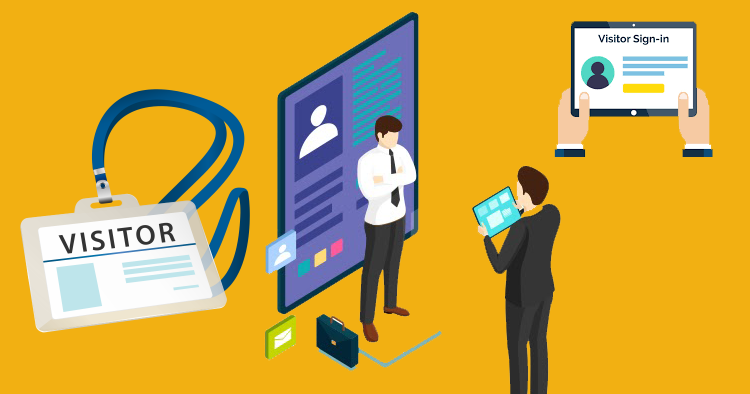
4. Visitor Management
Visitor check-in becomes faster and more secure through the app.
Key features include:
- Visitor pre-registration
- QR code check-in
- Digital visitor passes
- Host notifications
- Visitor logs
- Security records
This creates a professional reception experience while maintaining workplace security.
5. Billing and Payments
Financial automation simplifies recurring billing.
Supported features include:
- Membership billing
- Online payments
- Automated invoices
- Payment reminders
- GST-compliant invoices
- Billing history
Automation improves cash flow while reducing manual accounting work.
6. Community Engagement
Successful shared workspaces build strong communities.
The app supports:
- Event registrations
- Member networking
- Announcements
- Discussion forums
- Business directories
- Feedback collection
These features encourage collaboration and improve member retention.
7. Access Control
Secure workplace access can be integrated directly with the app.
Supported technologies include:
- Mobile credentials
- RFID cards
- Smart locks
- QR code access
- Biometric authentication
This improves convenience while enhancing office security.
8. Maintenance Requests
Members can report issues directly through the app.
Examples include:
- Air conditioning problems
- Internet issues
- Cleaning requests
- Equipment repairs
- Furniture maintenance
Facility teams receive service tickets immediately for faster resolution.
Benefits of Using a Shared Workspace App
Implementing a shared workspace app offers numerous business advantages:
- Centralized workspace management
- Higher workspace utilization
- Improved member experience
- Reduced administrative workload
- Faster booking process
- Automated billing
- Real-time occupancy tracking
- Better communication
- Enhanced workplace security
- Scalable operations
These benefits help organizations operate more efficiently while improving customer satisfaction.
Essential Modules in a Shared Workspace App
A comprehensive platform typically includes:
- Desk Booking
- Meeting Room Scheduling
- Member Management
- Visitor Management
- CRM
- Billing and Invoicing
- Payment Gateway Integration
- Community Management
- Event Management
- Maintenance Management
- Access Control
- Mobile Notifications
- Reporting Dashboard
- Analytics
- Multi-location Management
Together, these modules provide a complete digital workplace solution.
How Automation Improves Workspace Operations
Automation streamlines repetitive tasks, including:
- Desk booking confirmations
- Meeting room reservations
- Invoice generation
- Membership renewals
- Payment reminders
- Visitor notifications
- Maintenance ticket creation
- Access permission updates
- Event registrations
This allows workspace teams to focus on delivering excellent customer service.
Analytics and Reporting
Real-time insights help managers optimize workplace performance.
Useful metrics include:
- Occupancy rates
- Desk utilization
- Meeting room usage
- Revenue growth
- Membership renewals
- Customer retention
- Visitor traffic
- Maintenance response times
- Payment status
- Space availability
Interactive dashboards provide complete visibility into business operations.
Who Can Benefit from a Shared Workspace App?
The app is suitable for:
- Coworking spaces
- Serviced offices
- Managed office providers
- Business centers
- Enterprise hybrid workplaces
- Commercial real estate companies
- Innovation hubs
- Startup incubators
- Educational campuses
- Corporate offices with flexible seating
Its flexibility makes it valuable for organizations of all sizes.
Best Practices for Implementing a Shared Workspace App
To maximize results:
- Enable mobile-first booking.
- Automate recurring billing.
- Integrate access control.
- Offer flexible membership plans.
- Track workspace utilization.
- Encourage community participation.
- Collect member feedback regularly.
- Monitor operational reports.
- Schedule preventive maintenance.
- Continuously improve workplace services.
These practices improve both operational performance and user satisfaction.
Choosing the Right Shared Workspace App
When evaluating solutions, consider:
- Cloud-based deployment
- Mobile applications for iOS and Android
- Multi-location management
- API integrations
- Automated billing
- CRM functionality
- Visitor management
- Access control integration
- Analytics and reporting
- Secure payment gateways
- Enterprise-grade security
- Reliable customer support
The right app should scale with your business while providing an intuitive experience for members and administrators.
Future Trends in Shared Workspace Apps
Technology continues to reshape workplace management.
Emerging innovations include:
- Artificial Intelligence (AI) for smart booking recommendations.
- IoT-enabled workplaces for occupancy monitoring.
- Touchless office access using smartphones.
- Predictive analytics for demand forecasting.
- Smart energy management for sustainability.
- Integrated workplace management systems (IWMS) for enterprise environments.
- Personalized workplace experiences powered by automation.
These advancements enable organizations to create more intelligent, efficient, and user-friendly workplaces.
Why Every Flexible Workspace Needs a Shared Workspace App
As hybrid work becomes the standard, organizations need digital tools that simplify workspace management while delivering exceptional user experiences. A Shared Workspace App centralizes desk bookings, meeting room scheduling, billing, visitor management, communication, and analytics into one easy-to-use platform.
By automating routine operations and providing real-time visibility into workplace performance, businesses can improve productivity, reduce operational costs, optimize space utilization, and increase member satisfaction.
Frequently Asked Questions (FAQs)
What is a shared workspace app?
A shared workspace app is a mobile and web application that allows users to book desks, reserve meeting rooms, manage memberships, process payments, check in visitors, and access workplace services from a single platform.
Who should use a shared workspace app?
It is ideal for coworking spaces, serviced offices, managed office providers, hybrid workplaces, commercial property managers, and organizations with shared office environments.
What are the benefits of a shared workspace app?
The app improves operational efficiency, automates bookings and billing, enhances member experiences, increases workspace utilization, and provides real-time business insights.
Can a shared workspace app support multiple office locations?
Yes. Most modern solutions allow operators to manage multiple locations from one centralized dashboard with unified reporting and administration.
How does a shared workspace app improve business performance?
By automating administrative tasks, optimizing occupancy, improving customer retention, streamlining billing, and providing actionable analytics, the app helps organizations operate more efficiently and profitably.
Conclusion
A Shared Workspace App is an essential solution for managing today’s flexible work environments. It combines workspace booking, member management, visitor services, billing, maintenance, access control, and analytics into a single platform. Whether you manage a coworking space, serviced office, or hybrid workplace, investing in the right shared workspace app helps improve operational efficiency, enhance user experiences, and support long-term business growth.